- navAI
- Posts
- OpenAI's $852B Power Move, Meta's Muse Spark, and Google's Notebook Revolution 🚀
OpenAI's $852B Power Move, Meta's Muse Spark, and Google's Notebook Revolution 🚀
AI Spotlight keeps you up-to-speed on the latest cool stuff in AI and tech. This week, we're covering the biggest funding round in tech history, Meta's bold new AI model, and how Google just merged two of its most powerful AI tools into one.

Fiorenzo Comini
April 13, 2026
In today's email:
OpenAI Raises $122 Billion and Eyes a Trillion-Dollar IPO 💰
Meta Launches Muse Spark — Its Most Powerful AI Model Yet 🧠
Google Merges NotebookLM Into Gemini with "Notebooks" 📓
Tutorial: How to Use Google Gemini Notebooks for AI-Powered Research
📢 Top AI Tools of the Week
OpenAI Raises $122 Billion and Eyes a Trillion-Dollar IPO 💰
OpenAI just closed the single largest private funding round in Silicon Valley history — $122 billion at an $852 billion valuation. The company is now generating $2 billion in revenue per month and is laying the groundwork for what could be the most anticipated IPO of the decade.
The lowdown:
Record-breaking round: OpenAI raised $122 billion from investors including Amazon ($50B), Nvidia ($30B), SoftBank ($30B), Andreessen Horowitz, and Microsoft. For the first time, retail investors participated through bank channels, raising $3 billion.
IPO incoming: CFO Sarah Friar confirmed the company is preparing to "look and feel and act like a public company." Reports point to a Q4 2026 IPO targeting a $1 trillion valuation — which would make it one of the largest public listings ever.
Revenue explosion: OpenAI now generates $2 billion per month, up from $13.1 billion for all of last year. Enterprise customers account for 40% of revenue and are on track to match consumer revenue by year-end.
Super app strategy: OpenAI is consolidating ChatGPT, Codex, agentic browsing, and enterprise tools into a unified "super app." The company also launched an Ads Manager, acquired the media network TBPN, and is targeting $100 billion in annual ad revenue by 2030.
Why It Matters: OpenAI is no longer just an AI lab — it's becoming core infrastructure for the digital economy. With 900 million weekly users, a massive enterprise push, and an ad-supported free tier, the company is positioning itself as the "operating system" of the AI era. Competitors like Anthropic (planning an October IPO) and Google are racing to keep pace, but OpenAI's capital advantage and distribution are hard to match.
Meta Launches Muse Spark — Its Most Powerful AI Model Yet 🧠

After a year-long gap following the disappointing Llama 4 launch, Meta just unveiled Muse Spark — the first model from its new Muse series, built from the ground up by Meta Superintelligence Labs under the leadership of former Scale AI CEO Alexandr Wang. It's Meta's boldest play yet in the frontier AI race.
Key Highlights:
Built from scratch in 9 months: Meta's Superintelligence Labs, formed after a $14.3 billion investment in Scale AI, rebuilt the company's entire AI stack to produce Muse Spark. Internally code-named "Avocado," the model is "small and fast by design" but packs serious reasoning power.
Three reasoning modes: Muse Spark offers an Instant mode for quick answers, a Thinking mode for step-by-step reasoning, and a Contemplating mode that launches multiple AI sub-agents in parallel — directly competing with Gemini Deep Think and GPT Pro.
Multimodal and health-focused: The model accepts voice, text, and image inputs natively. It scored #1 globally on HealthBench Hard (42.8) and CharXiv chart understanding (86.4), making it especially strong for visual and health-related queries.
Free to use, proprietary model: Unlike Meta's previous open-source Llama strategy, Muse Spark is proprietary — available on the Meta AI app and website now, with rollouts to WhatsApp, Instagram, Facebook, Messenger, and Ray-Ban AI glasses in the coming weeks.
Market impact: Meta's stock surged nearly 10% in the five trading days following the announcement, with investors rewarding the company's renewed competitiveness against OpenAI, Anthropic, and Google.
Why It Matters: Muse Spark signals that Meta is done playing catch-up. By switching from open-source Llama to a proprietary model built by a world-class team, Meta is betting that controlling the full AI stack — from model to distribution across 3.5 billion users — is the path to winning the AI race. The integrated Shopping mode also hints at how Meta plans to monetize AI through its platforms.
Google Merges NotebookLM Into Gemini with "Notebooks" 📓
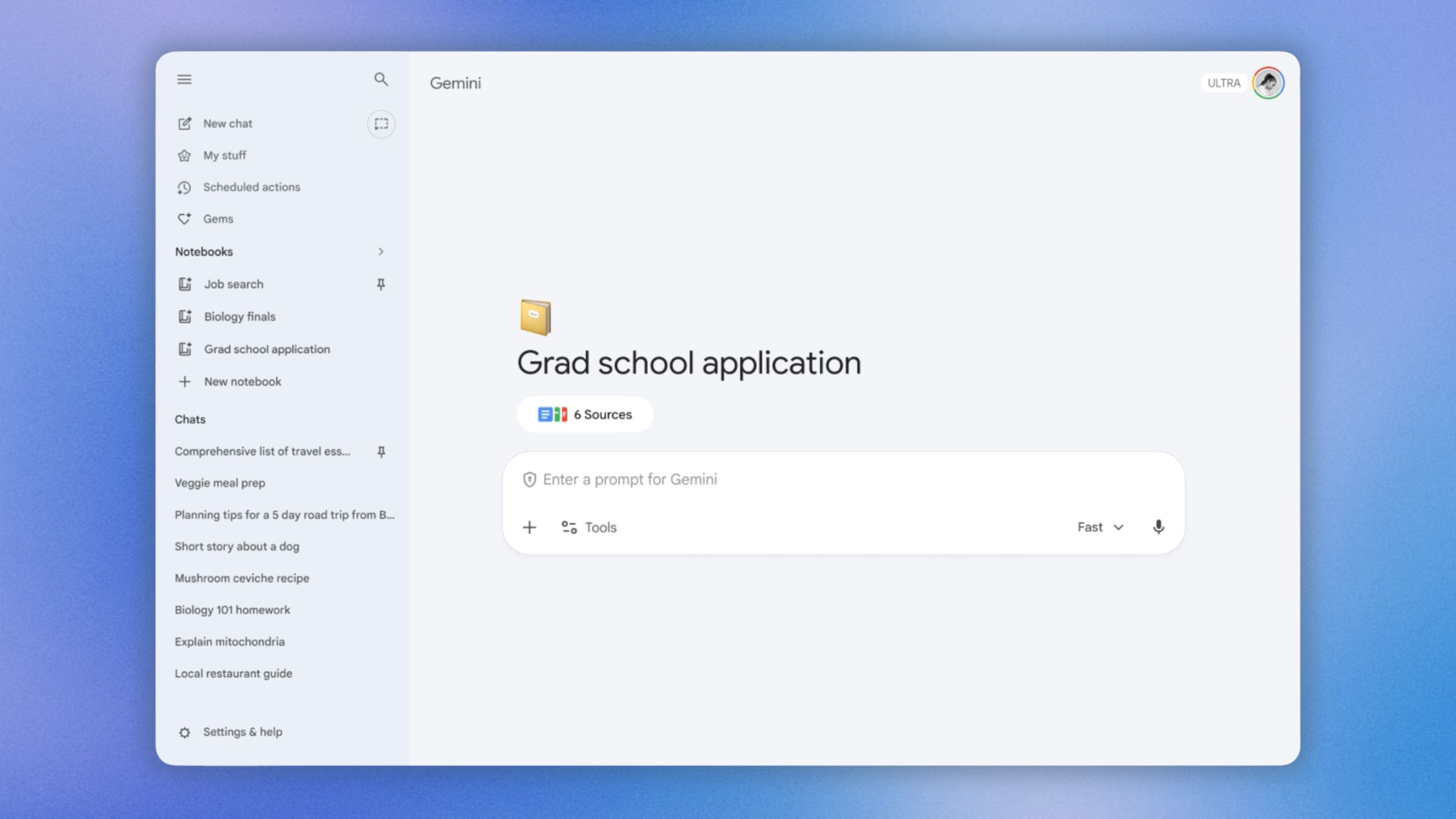
Key Highlights:
Personal knowledge bases inside Gemini: Notebooks let you organize chats, files, documents, and PDFs into dedicated project spaces. Each notebook acts as a persistent knowledge base that Gemini draws from when answering your questions.
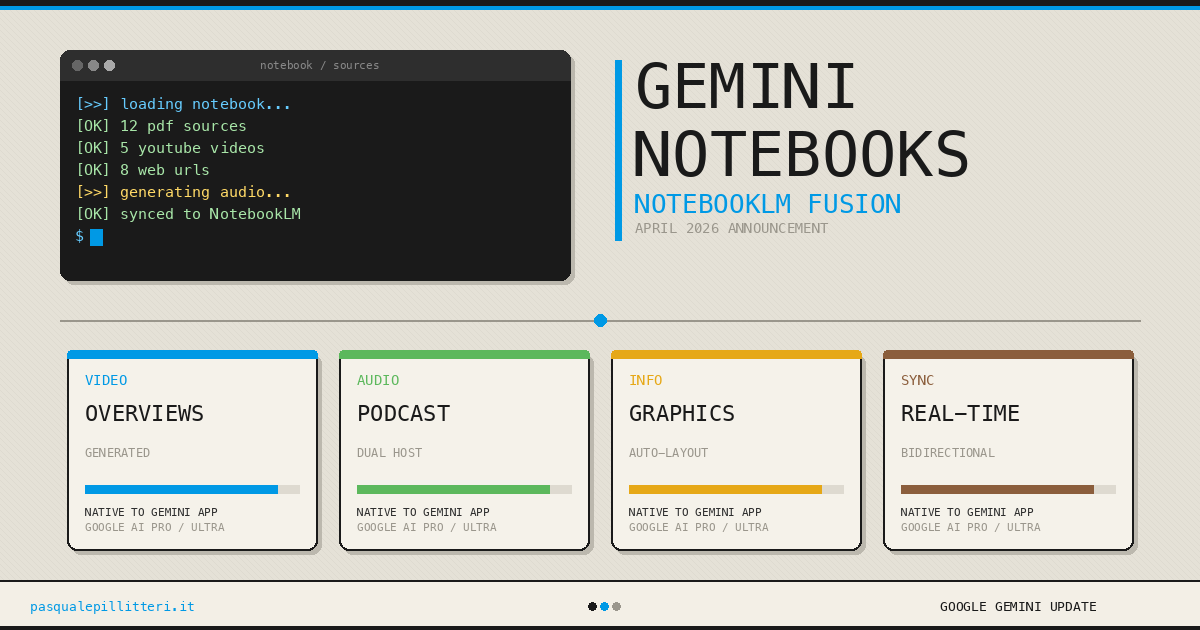
Two-way sync with NotebookLM: Any source you add in Gemini automatically appears in NotebookLM and vice versa. This means you can use NotebookLM features like Video Overviews, Infographics, and Audio Summaries even if you started your project in Gemini.
Custom AI instructions per project: You can give Gemini specific instructions for each notebook — tailoring its responses to your exact needs, whether you're drafting a thesis, conducting market research, or planning a product launch.
Rolling out now: Available this week for Google AI Ultra, Pro, and Plus subscribers on the web, with mobile, European expansion, and free tier access coming in the following weeks.
Why It Matters: This integration transforms Gemini from a chatbot into a true productivity hub. By combining NotebookLM's research depth with Gemini's conversational intelligence, Google is creating a workflow where your AI assistant actually remembers your projects, builds on past conversations, and connects to your entire knowledge library. For students, researchers, and professionals, this could replace juggling between multiple AI tools.
Tutorial: How to Use Google Gemini Notebooks for AI-Powered Research 🎓
Google's new Notebooks feature turns Gemini into a powerful research companion. Here's how to get started in 5 simple steps:
Step 1: Create a New Notebook Open the Gemini app (gemini.google.com) and look for the "Notebooks" section in the side panel. Click "New notebook" and give it a name related to your project (e.g., "Q2 Market Analysis" or "Thesis Research").
Step 2: Add Your Sources Upload relevant files directly into your notebook — PDFs, Google Docs, website URLs, or copied text. The more sources you provide, the better Gemini can ground its responses in your actual data.
Step 3: Set Custom Instructions Click the instructions area within your notebook and tell Gemini how you want it to behave. For example: "Always cite specific sources when answering. Focus on data from 2025-2026. Write in a professional but concise tone."
Step 4: Chat Within Your Notebook Start asking questions and Gemini will use your uploaded sources alongside its own knowledge and web search to provide grounded answers. You can also move past Gemini chats into this notebook to keep everything organized.
Step 5: Switch to NotebookLM for Advanced Outputs Since your notebook syncs automatically with NotebookLM, open the same project there to generate Audio Overviews (podcast-style summaries), Video Overviews, Infographics, Study Guides, or Flashcards from your sources. Then return to Gemini the next day and continue where you left off.
Pro Tip: Students can add class lecture notes to a notebook, generate a Video Overview in NotebookLM for review, and then ask Gemini to draft an essay outline based on the same material — all without re-uploading anything.